Resident companies
Invite each company’s people as members and group them into teams for access and pricing.
For business centers
Give resident companies and outside clients a clear way to book your meeting rooms, each at the right rate, while your team keeps one shared calendar.
Rates
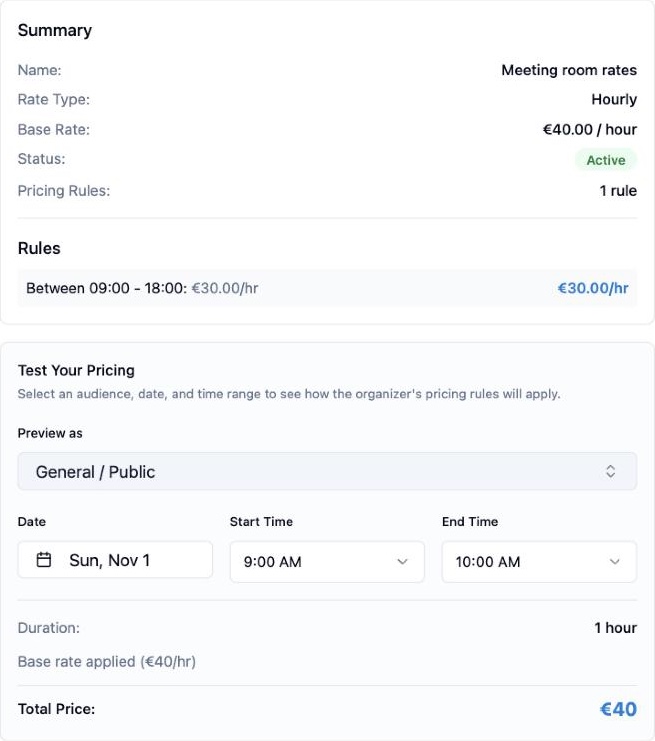
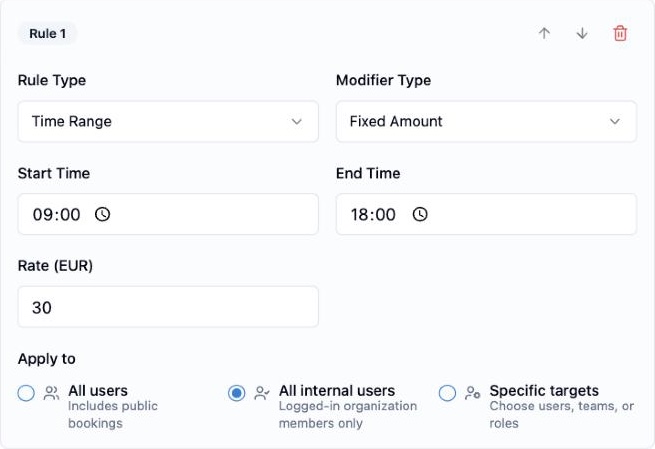
Set a base hourly rate for a room, then add rules for the people who should pay less. In this demo, visiting clients pay €40 an hour for the Boardroom, and logged-in members pay €30 between 09:00 and 18:00.
Resident bookings
When a resident books the Boardroom, the booking form applies the member rule and shows the total and payment method before confirmation. Pay at the counter and online checkout are both available, depending on how you set up payments.
Explore booking and availability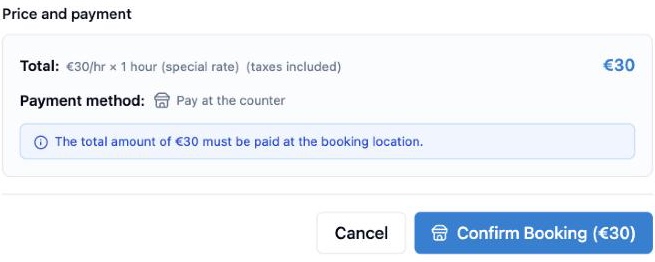
Visiting clients
Share a public booking link or embed the booking page on your website. Visitors choose a room and time, see the calculated price, and leave their details. The capture shows the same flow for another room in the demo organization.
Explore member and guest bookings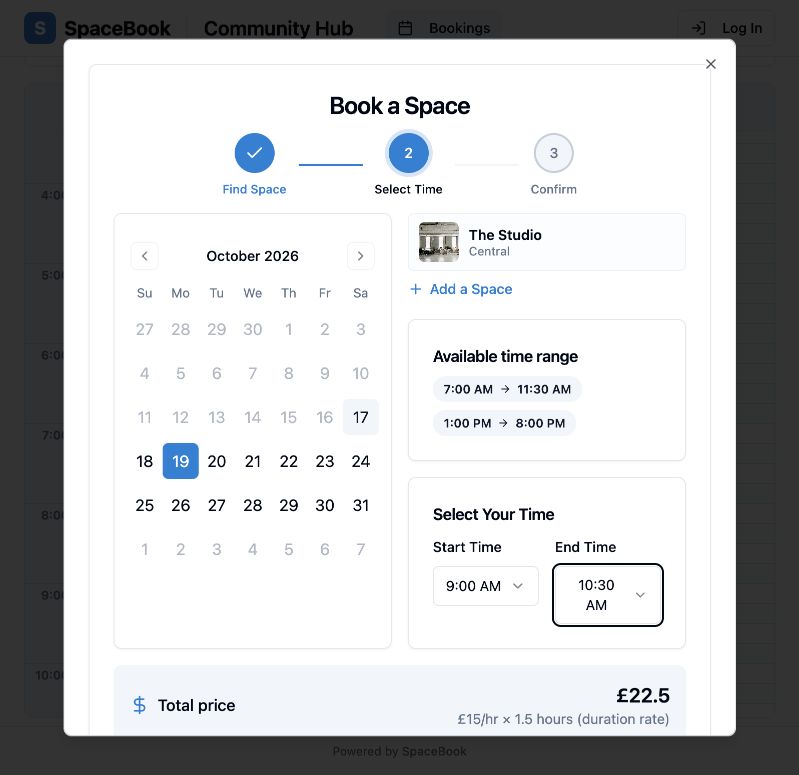
Invite each company’s people as members and group them into teams for access and pricing.
Share a public booking page. Paid booking for external guests is part of the Professional plan.
Room displays
Open a room’s display page on a screen outside the meeting room. It shows whether the room is busy, its capacity and equipment, and the current and next bookings.
Explore displays and customization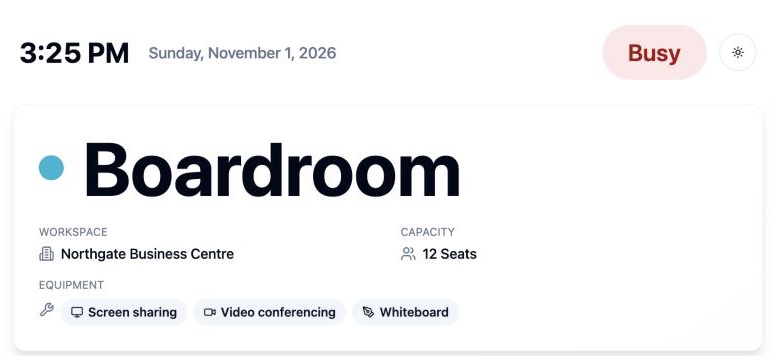
Offer times that match your reception hours, with closed days and exceptions.
Set duration and per-user limits so one company cannot take every slot.
Collect the extra details your team needs with custom booking fields on Plus and Professional.
Manage rooms across your locations from one organization, within your plan’s workspace limit.
Insights
Follow bookings, booked hours, and active users over a selected period before changing room prices or opening hours.
Explore usage insights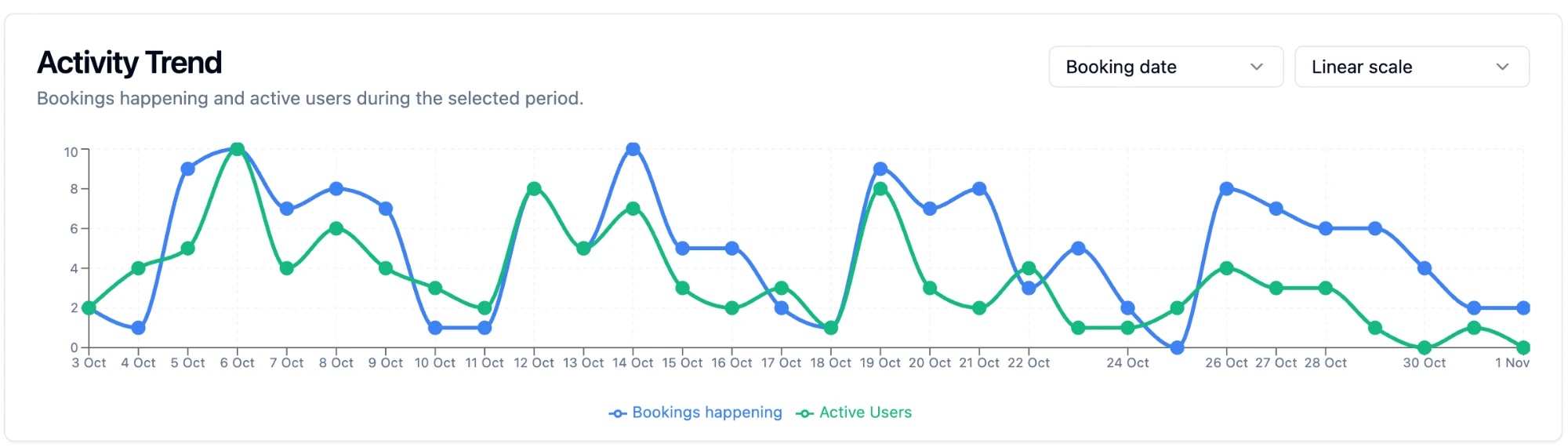
FAQ
Plan availability and venue setup determine which booking and payment options are available. Compare plans
Yes. A pricing rule can apply to all users, to logged-in organization members only, or to specific users, teams, or roles. Rules can also depend on time, day, and booking length.
Where public booking is enabled, visitors book through a shareable link or a booking page embedded on your website. Paid booking for external guests requires the Professional plan and a connected Stripe account.
No. Spacebook manages meeting room availability, booking rules, and the price of each booking. Leases, service agreements, and monthly tenant invoicing stay in your existing systems.
Each location can be a workspace in one organization. Starter includes one workspace, Plus up to three, and Professional is unlimited.

Bring meeting rooms, rates, public booking, and room displays together.